Explore Topics
Topic
17 patterns

AI Agent Frameworks

The Vercel AI SDK provides a lightweight, composable framework for building AI agents in TypeScript. Browse production-ready patterns for routing, orchestration, workflows, and tool calling — no heavy abstractions required.

7 featured of 17 patterns

Featured Patterns

7 curated
Agent Routing Pattern preview

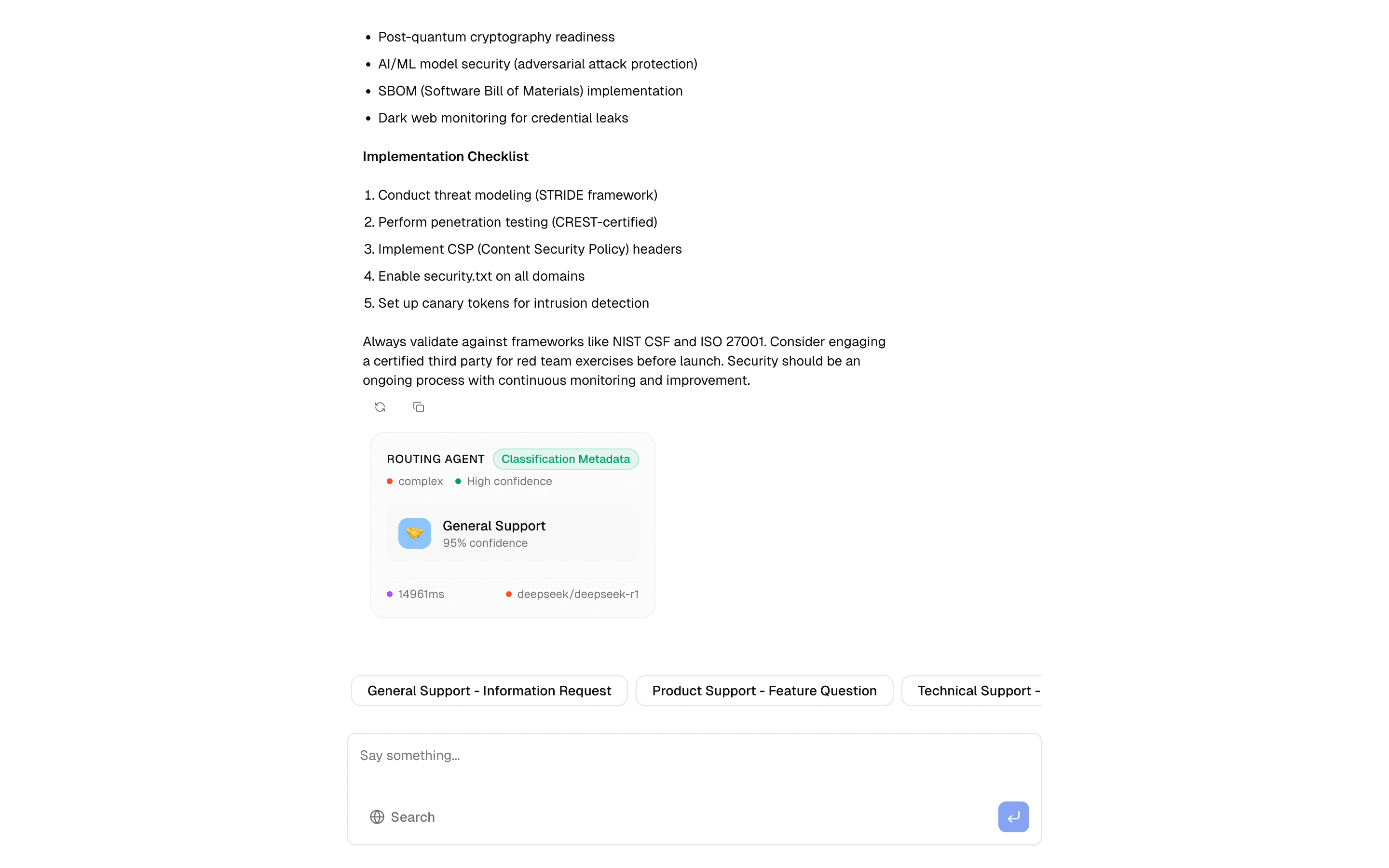
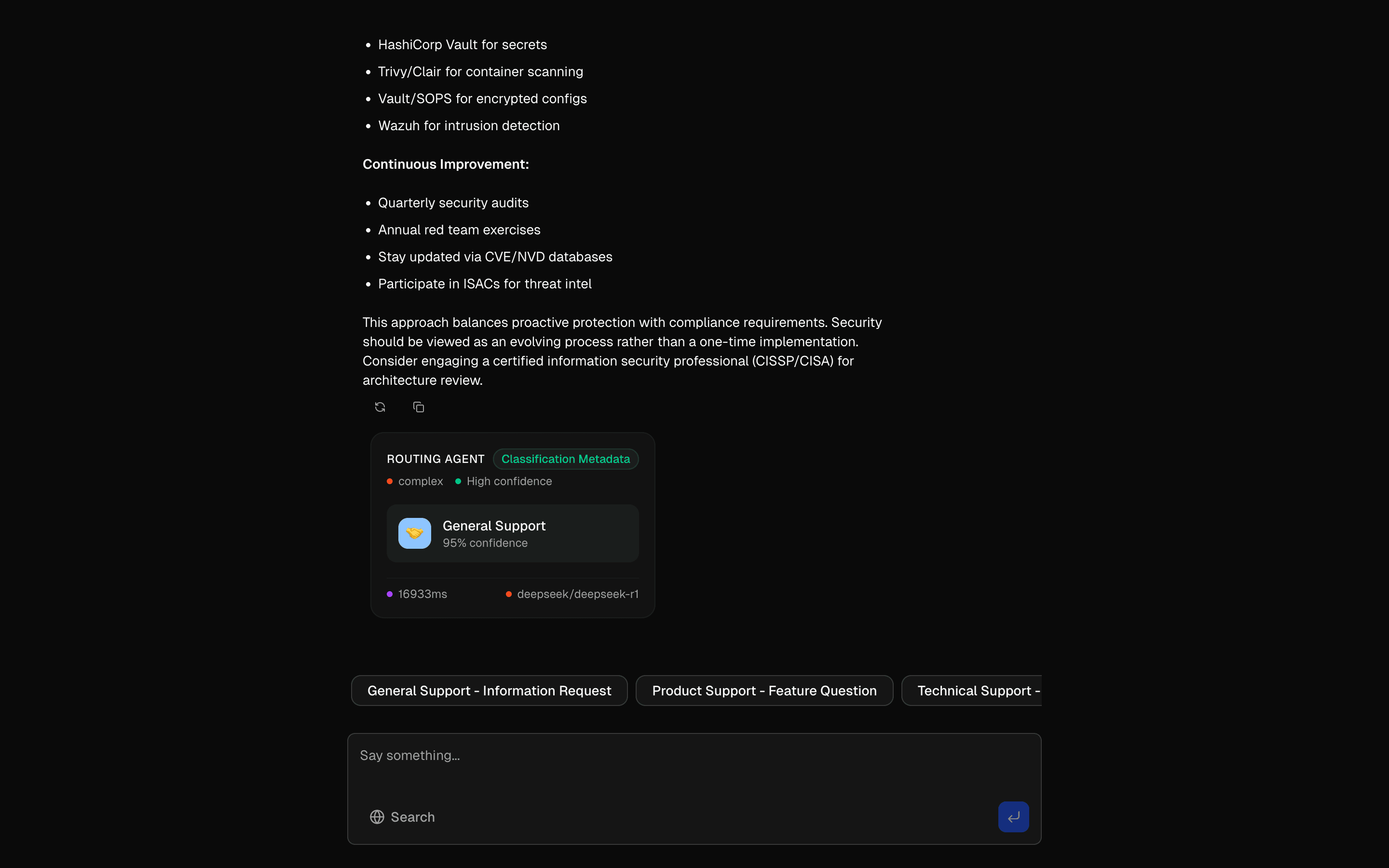
The routing pattern is the front door of any multi-agent system. Instead of sending every user message to a single monolithic prompt, it classifies the input first and dispatches it to a specialized sub-agent — each with its own system prompt, model, and toolset.

At the core is a classification step powered by generateObject. A Zod schema defines the possible intent categories (like "technical", "billing", or "sales"), and a fast, inexpensive model makes the routing decision. The downstream agent then handles the actual response with a more capable model if needed.

The key architectural insight is separation of classification from generation. The classifier runs something like GPT-4o-mini to keep latency under 200ms, while the responding agent can use a heavier model for quality. This keeps costs manageable at scale — you only pay for expensive inference on the messages that need it.

This pattern also includes load balancing across providers and graceful fallback handling. If the primary model is unavailable, the router can redirect to an alternative without the user noticing. Use this when your application serves multiple distinct user intents that benefit from specialized prompts or different model configurations.
APIsgenerateObjectstreamTextconvertToModelMessagesnew Agenttool(stepCountIs
Servicesopenaiperplexitydeepseek
Tagsaiagentsroutingai-sdk
Orchestrator-Worker Workflow Pattern preview

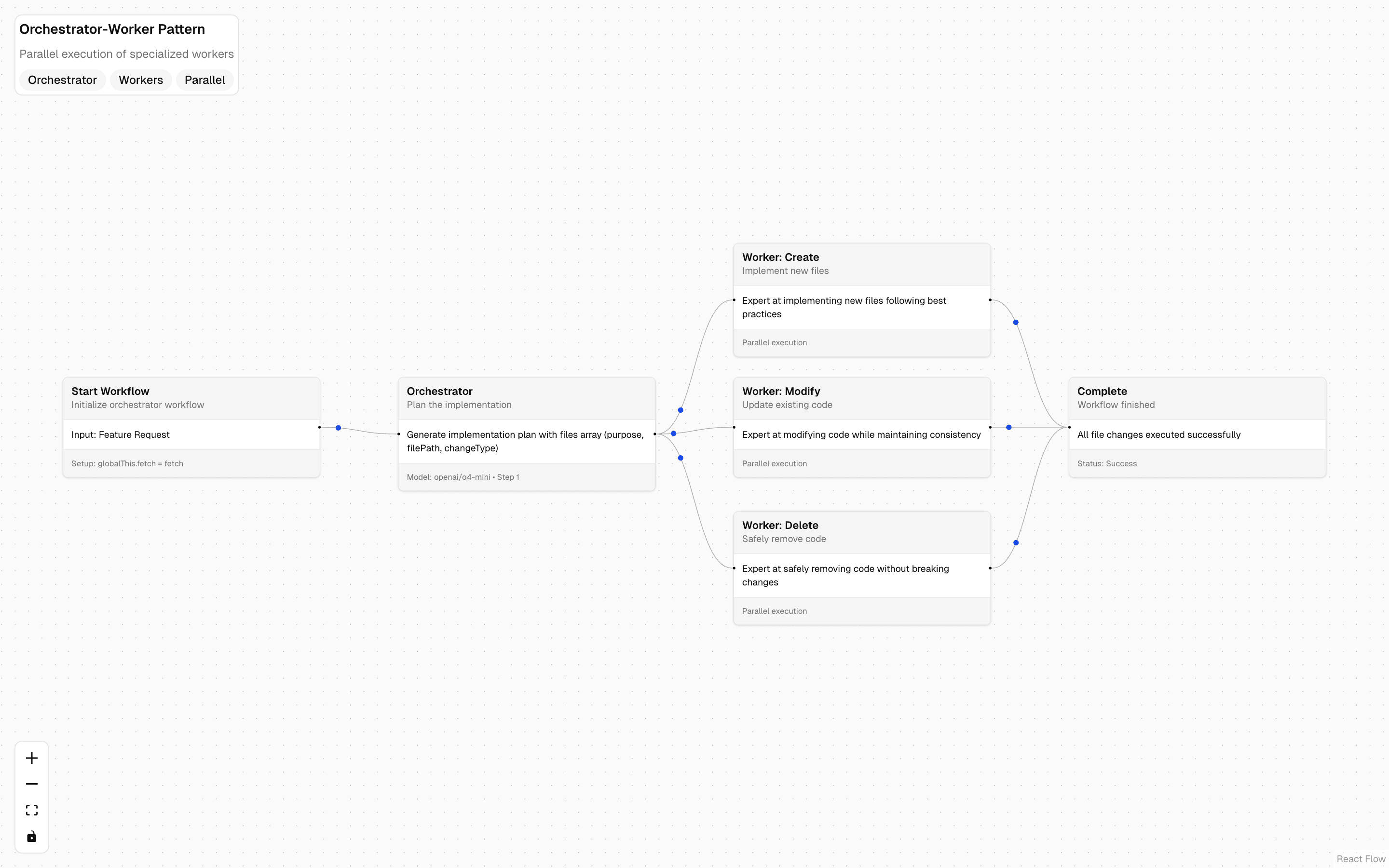
The Workflow DevKit orchestrator pattern brings durable execution to multi-agent coordination. Unlike the chat-based orchestrator pattern, this uses the Workflow DevKit (WDK) to ensure that long-running workflows survive failures, retries, and server restarts.

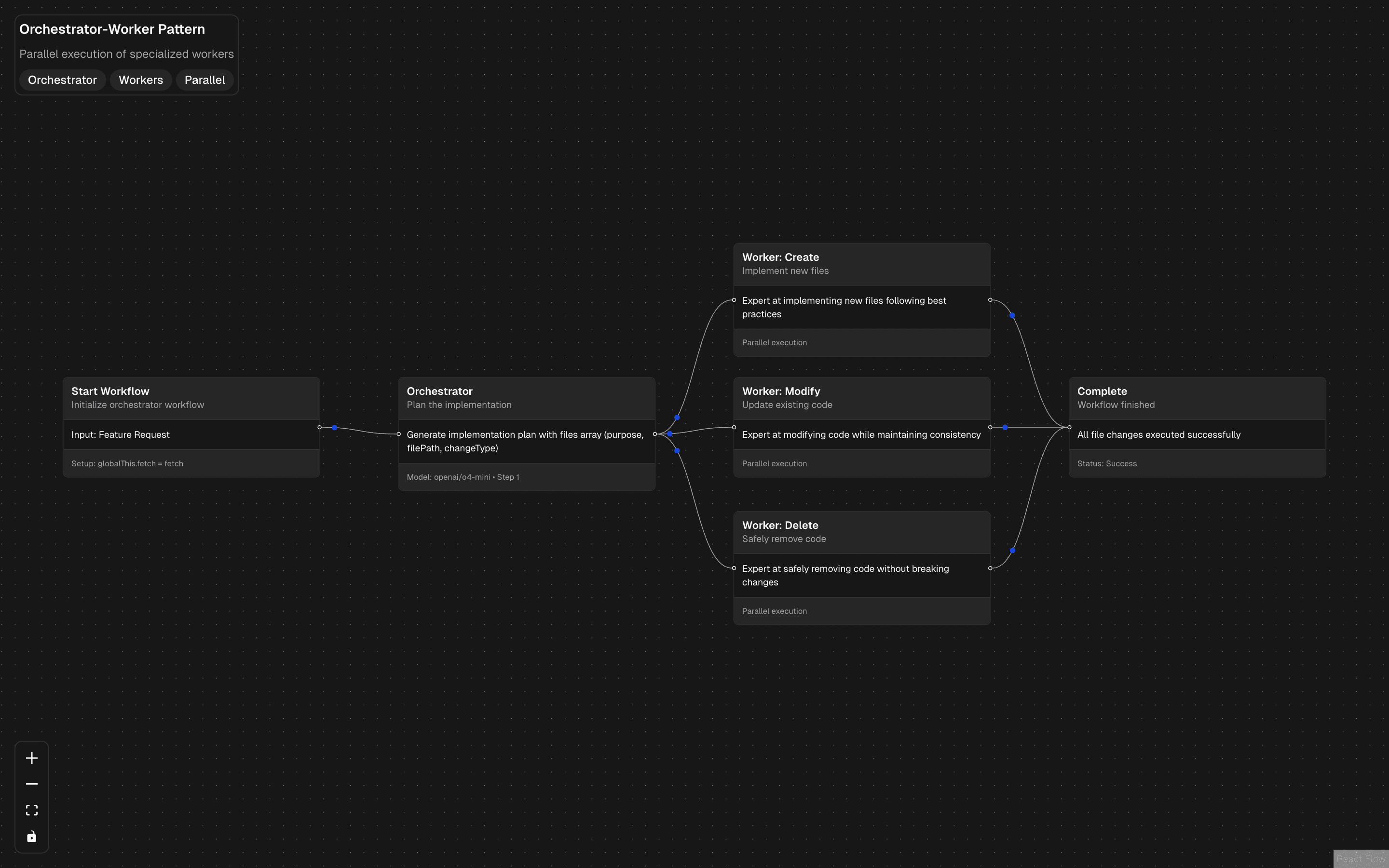
The workflow plans a feature implementation by generating a list of file changes, then spawns parallel workers for each change type — create, modify, and delete. Each worker runs as a separate workflow step, and the WDK ensures exactly-once execution even if the server crashes mid-workflow.

The generateObject call produces a structured plan that the orchestrator uses to dispatch work. Workers execute in parallel using the WDK's built-in concurrency primitives, and results are collected when all workers complete.

Choose this pattern over the chat-based orchestrator when you need reliability guarantees: workflows that take minutes or hours, involve external API calls that should not be repeated, or run in serverless environments where functions may be interrupted. The WDK adds complexity but provides production-grade durability that pure in-memory orchestration cannot match.

APIsgenerateObject
Servicesopenai
Tagsaiworkfloworchestratorworkerparallelai-sdkworkflow-devkitfeature-implementationcode-generation
Evaluator Workflow Pattern preview

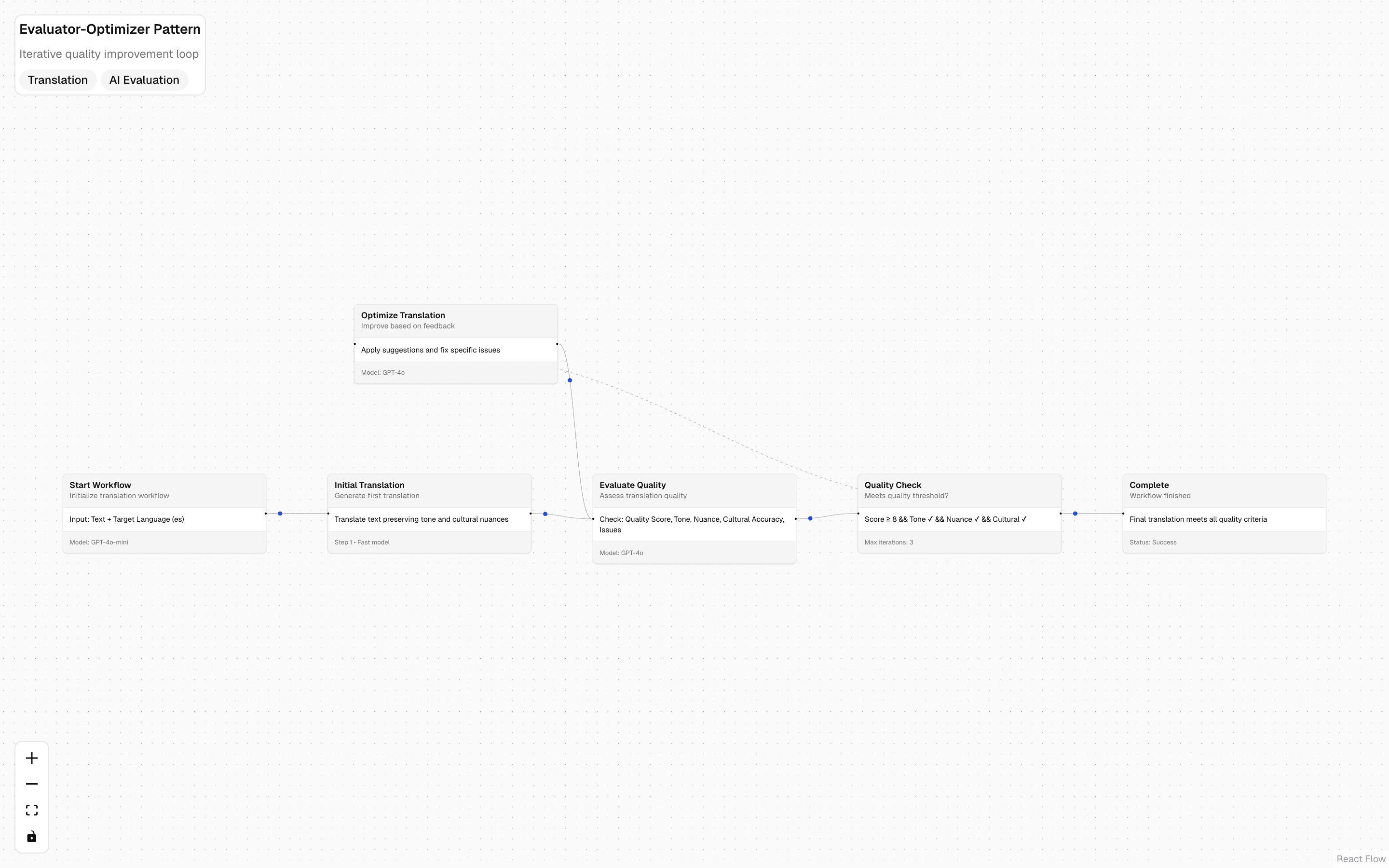
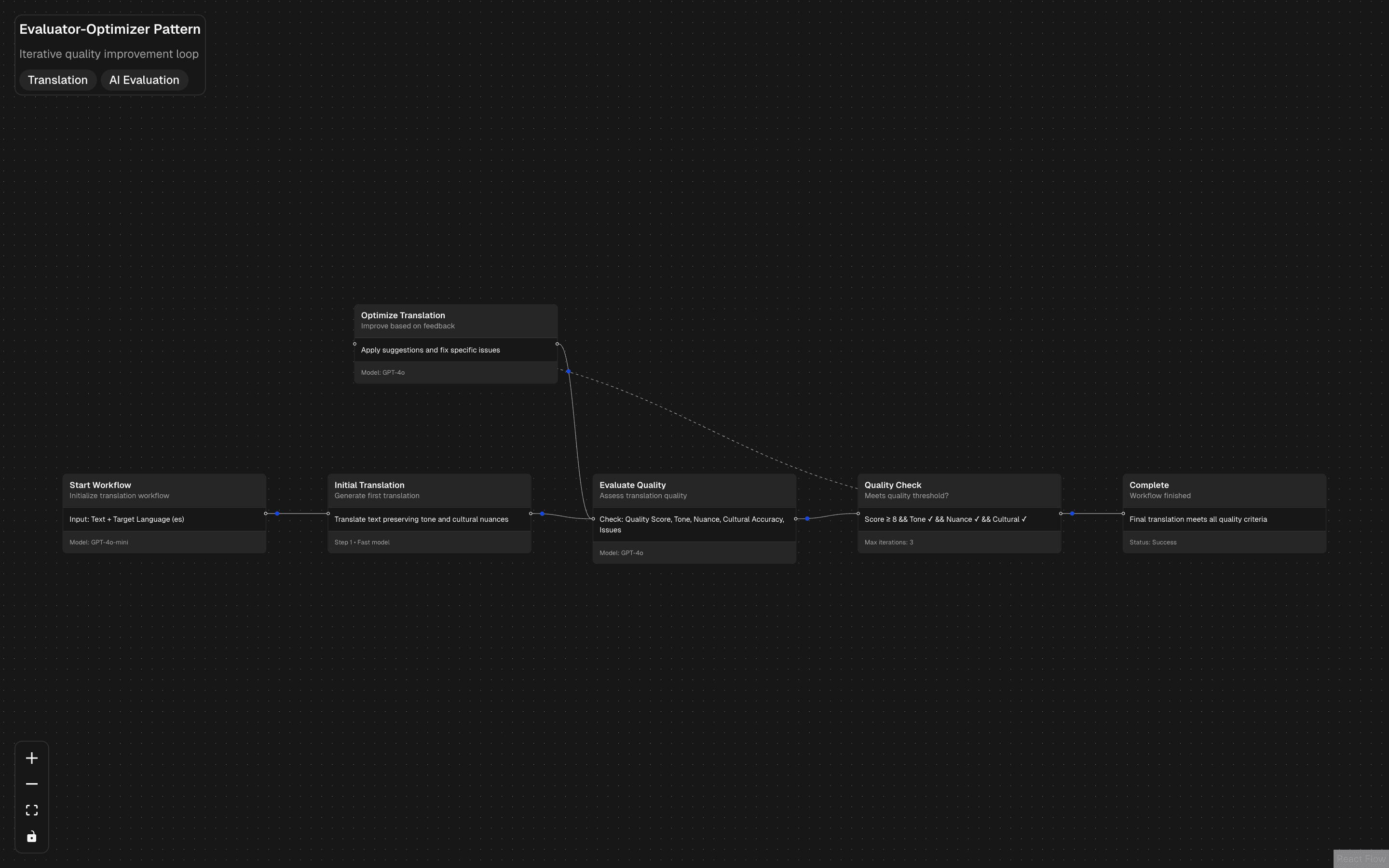
The evaluator workflow pattern implements an iterative refinement loop using the Workflow DevKit. An agent generates output, an evaluator assesses quality against defined criteria, and the workflow loops back for improvements until the evaluator is satisfied — or a maximum iteration count is reached.

This is the AI equivalent of a code review cycle. The generator produces a first draft, the evaluator provides structured feedback (what is good, what needs work, what is missing), and the generator revises based on that feedback. Each iteration is a durable workflow step, so progress is never lost.

The evaluator uses generateObject to produce a structured assessment with a pass/fail decision, quality scores, and specific improvement suggestions. The generator receives this feedback as additional context in its next iteration, creating a self-improving loop that converges on quality.

Use this pattern when output quality matters more than speed: content generation, code generation, report writing, or any task where a first draft is rarely good enough. The WDK's durability guarantees mean even multi-minute evaluation cycles complete reliably.

APIsgenerateObjectgenerateText
Servicesopenai
Tagsaiworkflowevaluatoroptimizationai-sdkworkflow-devkittranslationiterative-improvement
Routing Workflow Pattern preview

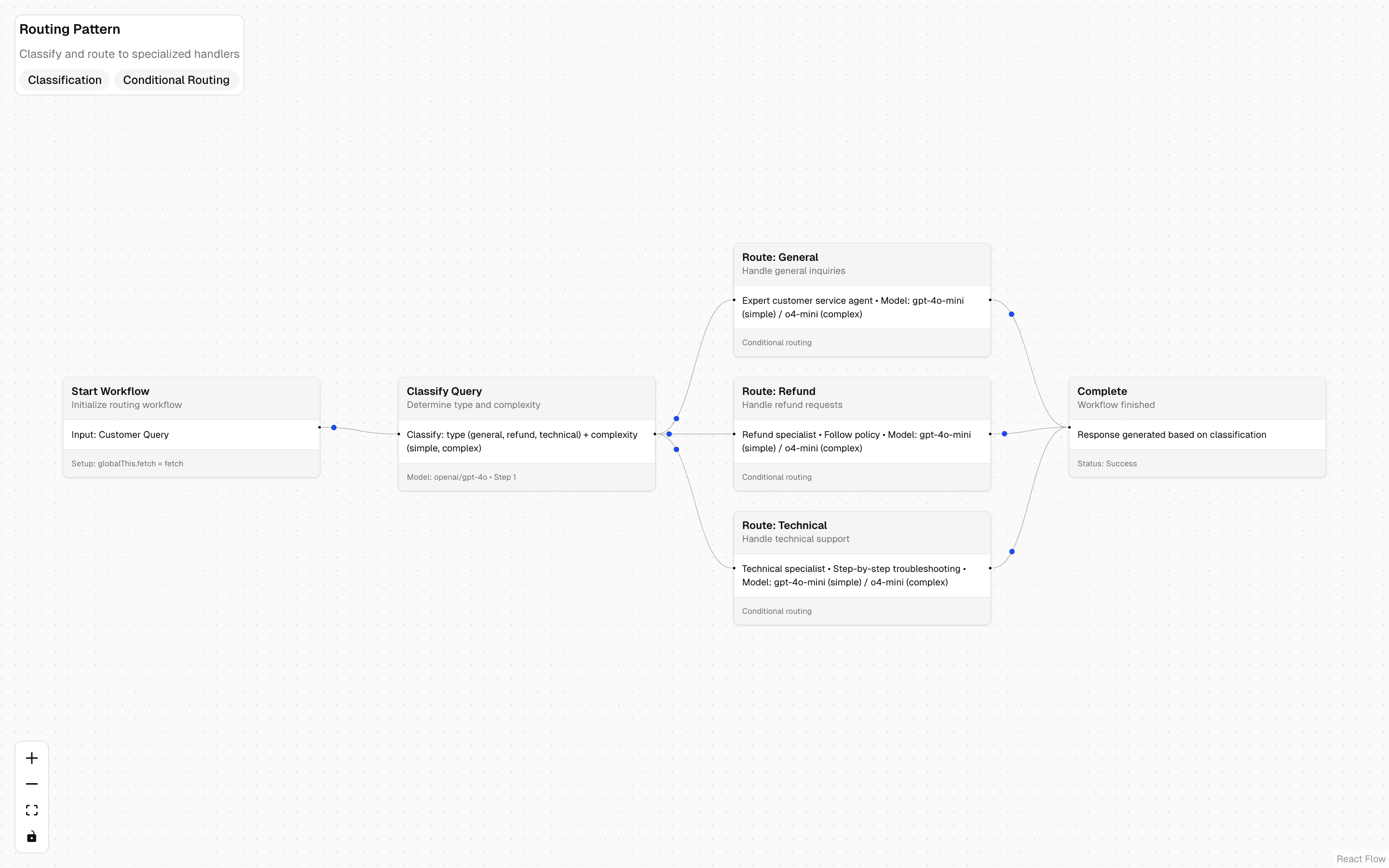
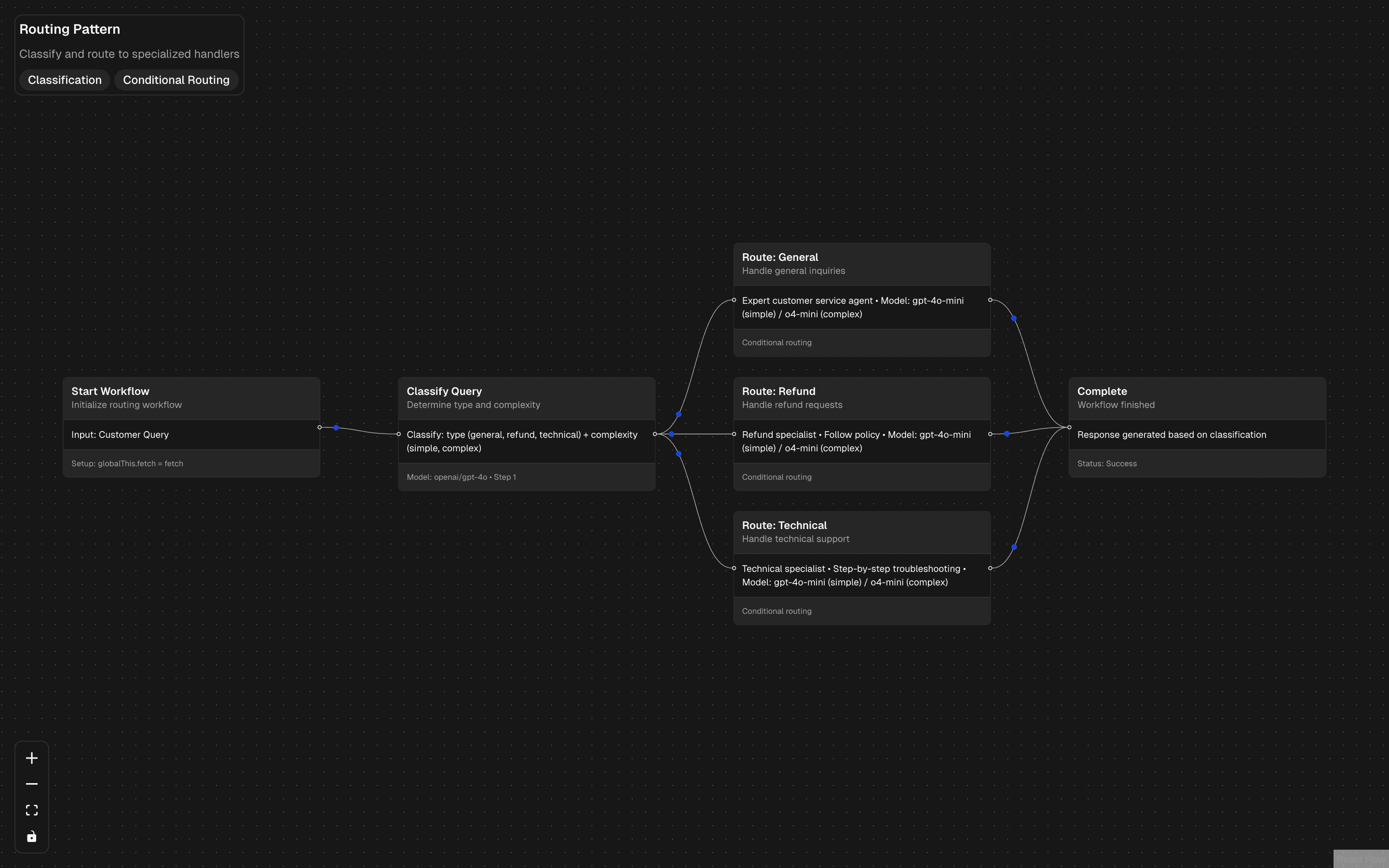
The routing workflow pattern brings durable intent classification to multi-agent systems. Like the in-memory routing pattern, it classifies user input and dispatches to specialized handlers — but wrapped in the Workflow DevKit for reliability and observability.

The workflow starts with a classification step that uses generateObject to determine the user's intent. Based on the result, the WDK routes execution to the appropriate handler workflow step. Each handler is a self-contained unit with its own model, prompt, and tool configuration.

What the WDK adds over plain routing is execution durability and tracing. Every routing decision is logged as a workflow step, making it trivial to audit which path was taken and why. If a handler fails, the WDK can retry it without re-running the classification step.

Choose this over in-memory routing when you need production observability: audit trails of routing decisions, retry policies for downstream handlers, or the ability to replay failed executions. It is especially valuable in regulated industries where you need to prove why a particular agent handled a particular request.

APIsgenerateObjectgenerateText
Servicesopenai
Tagsaiworkflowroutingclassificationconditionalcustomer-serviceai-sdkworkflow-devkitquery-handling
Parallel Review Workflow Pattern preview

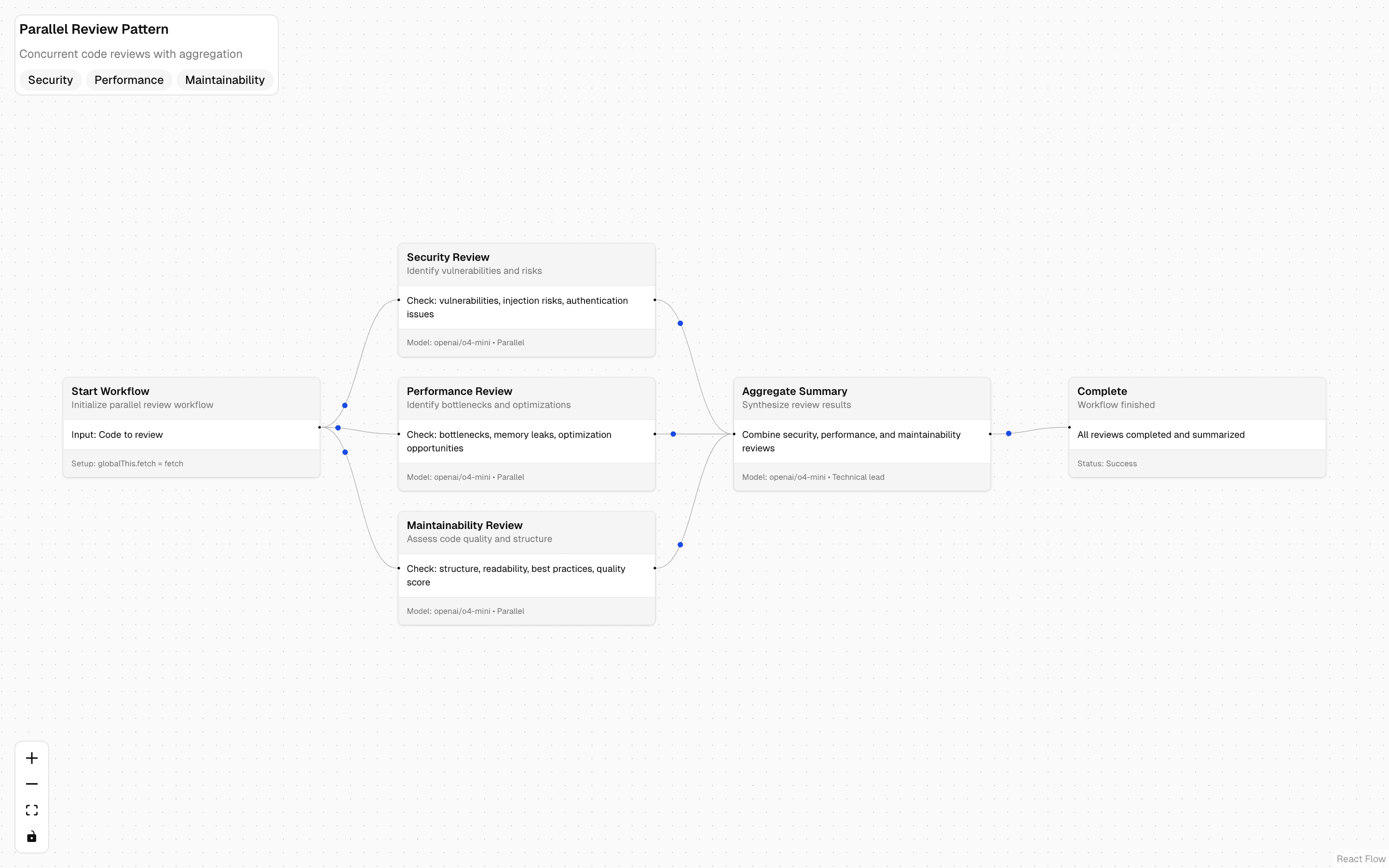
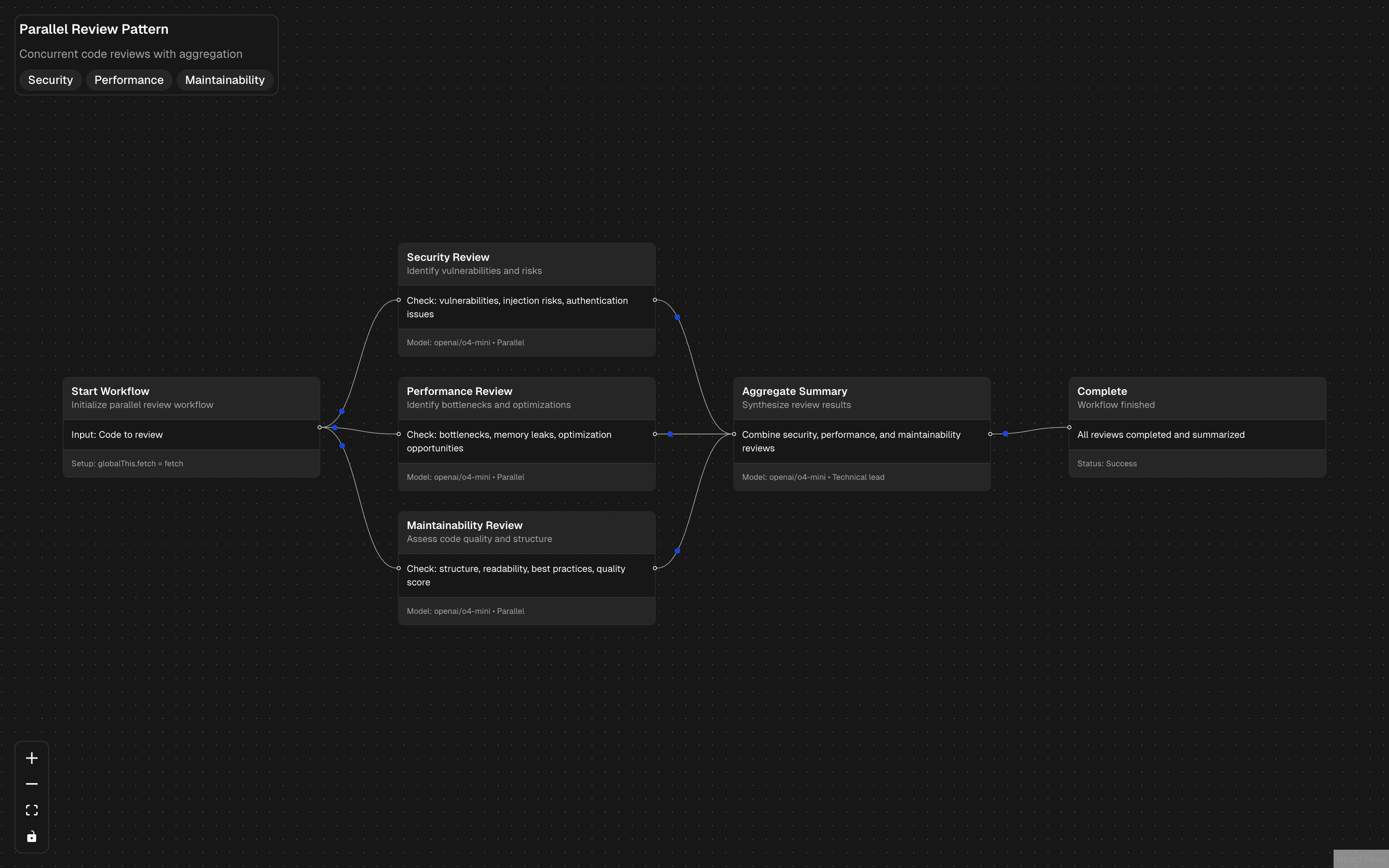
The parallel workflow pattern runs multiple AI tasks concurrently within a durable workflow execution. Unlike Promise.all in memory, the WDK tracks each parallel branch as a separate step, providing individual retry policies, timeout handling, and progress visibility.

The workflow spawns parallel steps using the WDK's concurrency primitives. Each step runs a generateText or generateObject call independently, and the workflow collects all results when every branch completes. If one branch fails, it can be retried without re-running the successful branches.

The performance gain matches in-memory parallelism — tasks run simultaneously rather than sequentially. But the WDK adds granular failure handling. A timeout on one branch does not kill the others, and partial results can be collected even if some branches fail permanently.

Use this for fan-out analysis tasks: running the same document through multiple analytical lenses, processing a batch of items concurrently, or generating multiple content variations in parallel. The WDK overhead is minimal and the reliability guarantees are significant for production workloads.

APIsgenerateObjectgenerateText
Servicesopenai
Tagsaiworkflowparallelcode-reviewsecurityperformancemaintainabilityai-sdkworkflow-devkitaggregation
Sequential Workflow Pattern preview

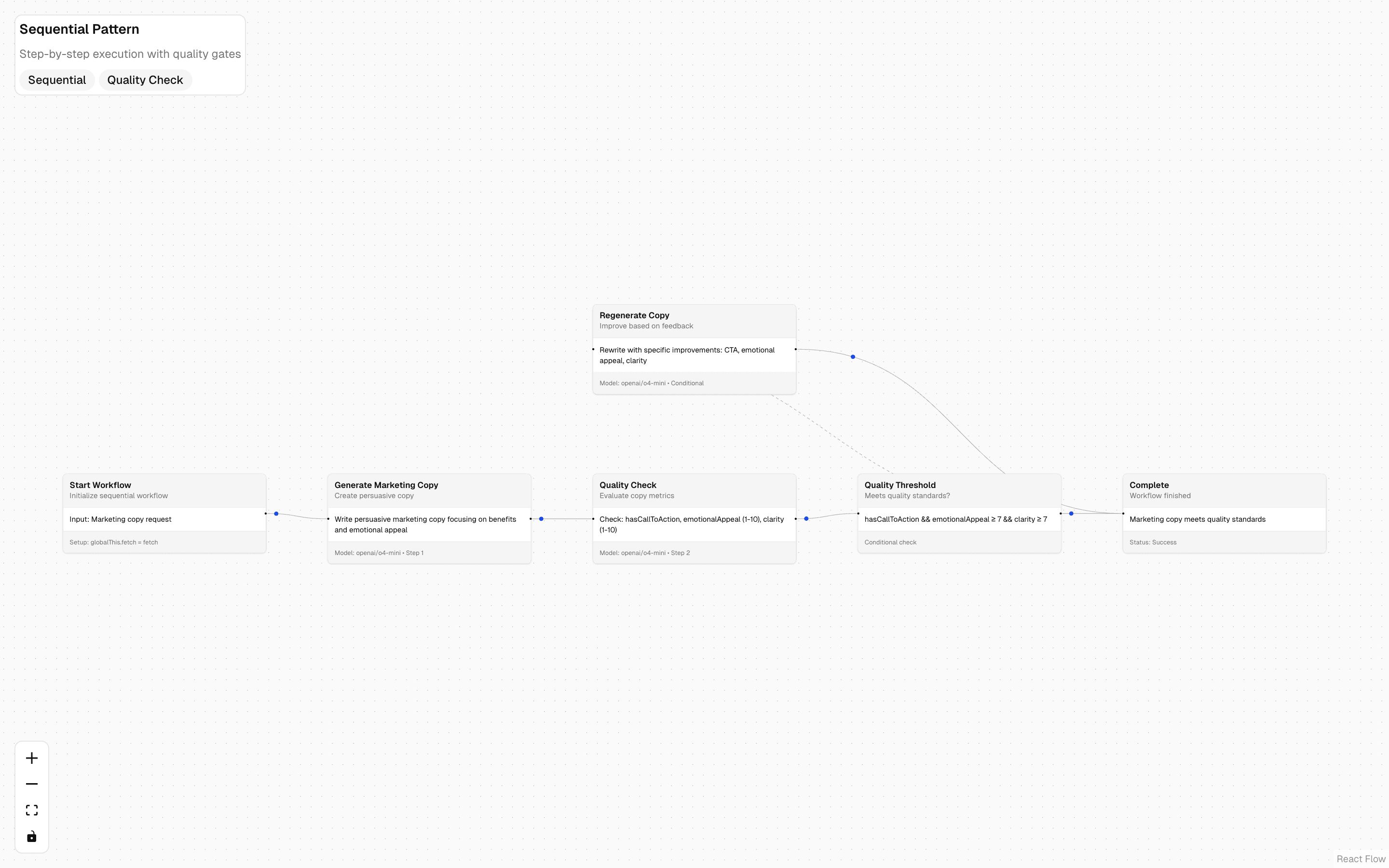
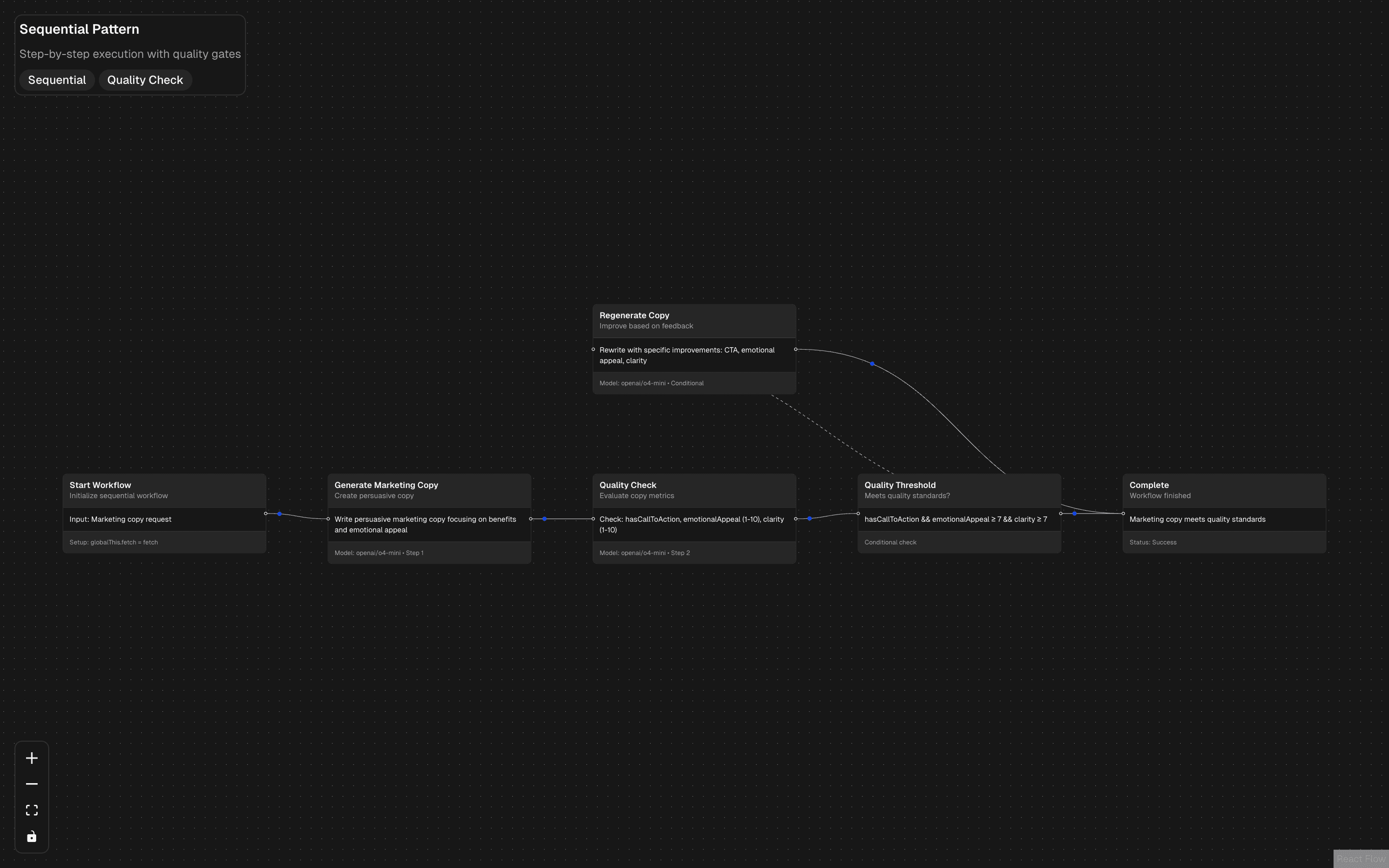
The sequential workflow pattern chains multiple AI steps into a linear pipeline with durable execution guarantees. Each step completes before the next begins, and the WDK checkpoints progress between steps so the workflow can resume from the last completed step after a failure.

The simplest form is a two-step pipeline: generate content, then refine it. But the pattern scales to any number of steps — each with its own model, prompt, and tool configuration. The output of each step is passed as input to the next through the WDK's step context.

What makes this different from plain await chaining is checkpoint durability. If step three of a five-step pipeline fails, the WDK restarts from step three — not step one. This is critical for pipelines that include expensive API calls or long-running model inference.

Start with this pattern when building deterministic multi-step pipelines: data extraction → enrichment → summarization, or content generation → fact-checking → formatting. The sequential structure makes the workflow easy to understand and debug, and the WDK's checkpointing means you never pay twice for completed work.

APIsgenerateObjectgenerateText
Servicesopenai
Tagsaiworkflowsequentialquality-gatemarketingcontent-generationai-sdkworkflow-devkitconditional-regeneration
Workflow - URL Analysis preview

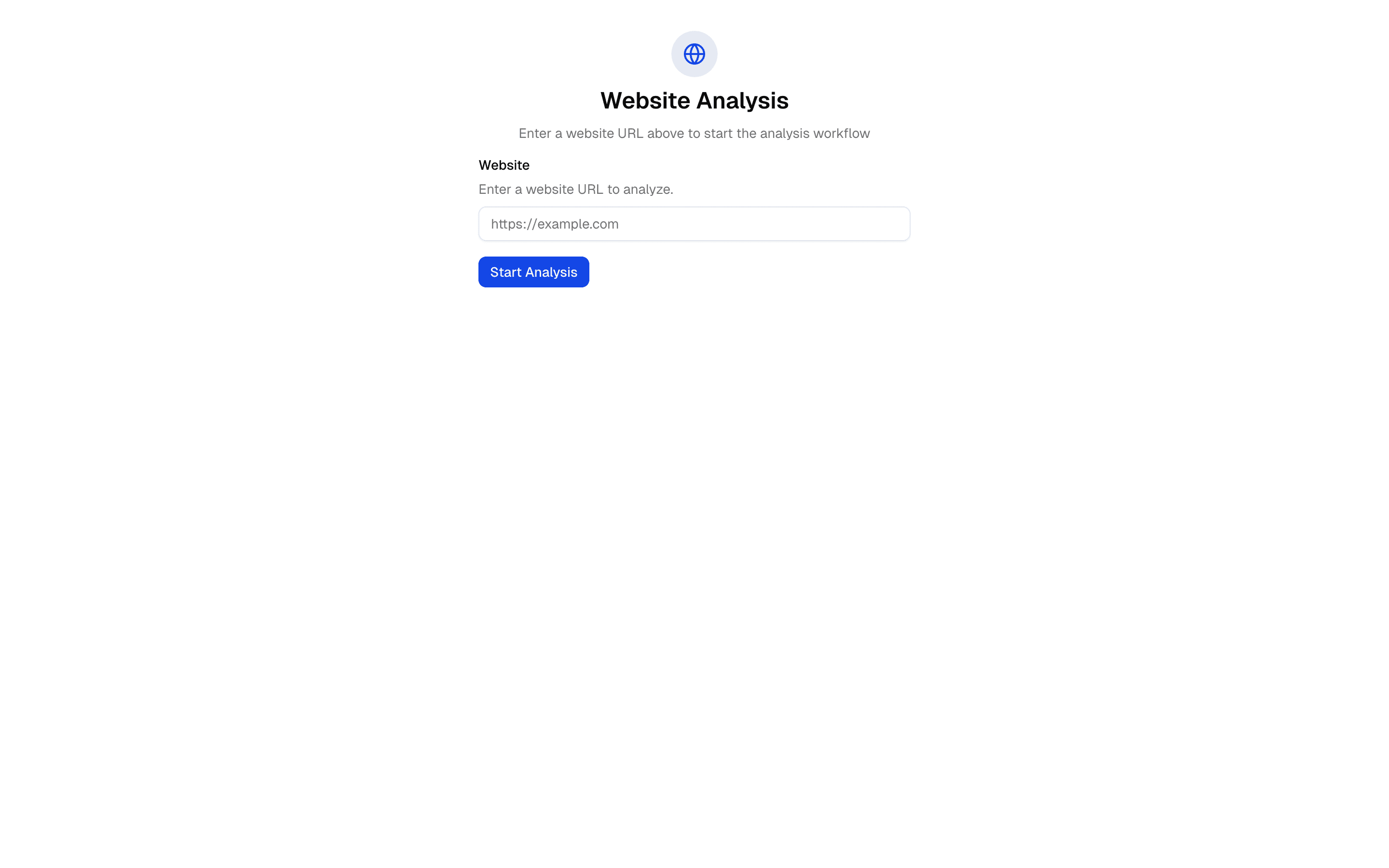
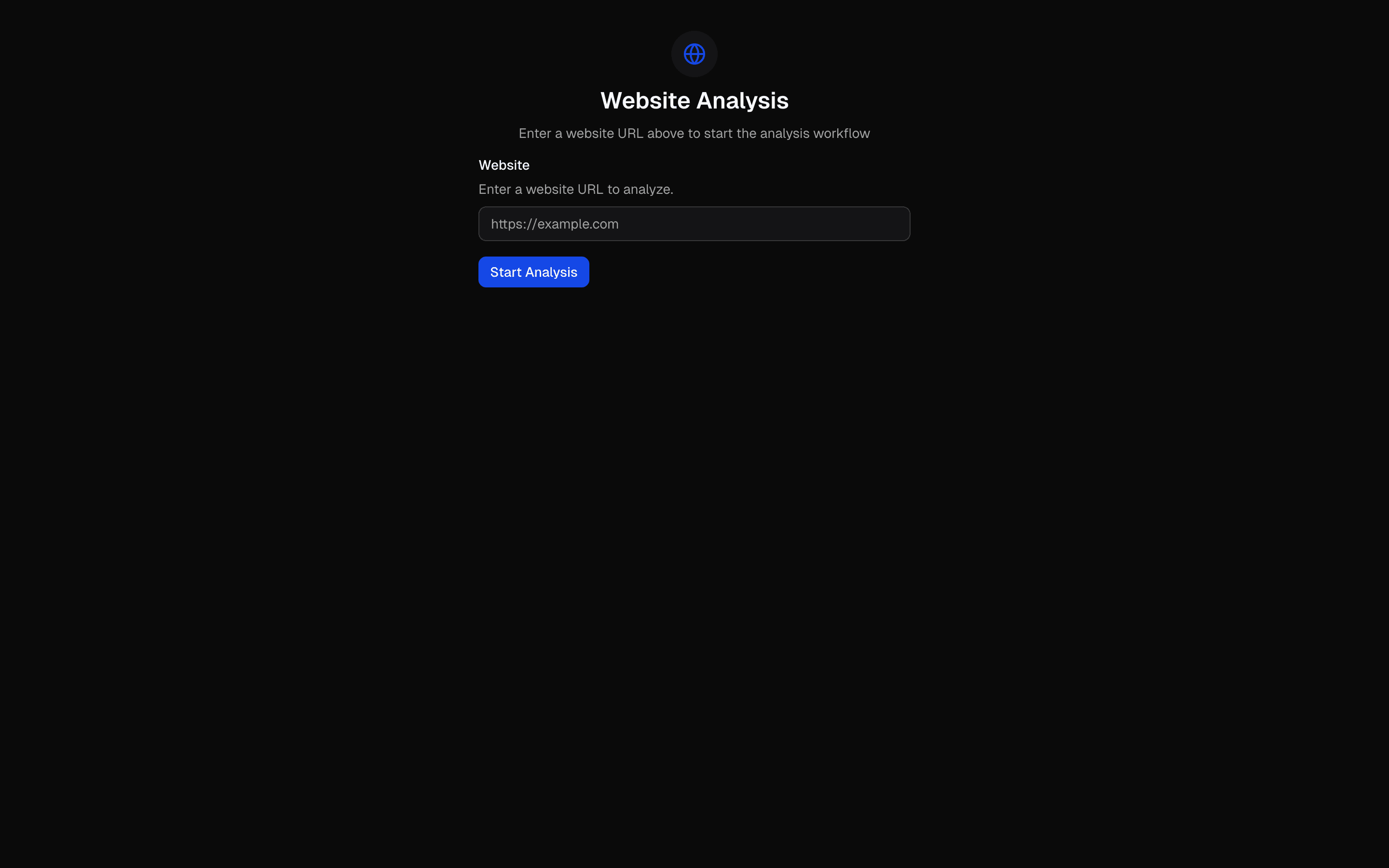
The URL analysis workflow is the simplest entry point into prompt chaining with the AI SDK. It takes a URL, scrapes the content, analyzes it through an AI model, and returns a structured summary — all in a single, linear pipeline.

Each step in the chain is a discrete function: scrape, analyze, summarize. The output of one feeds directly into the next. This is not an autonomous agent making decisions — it is a deterministic pipeline where you control the exact sequence of operations.

The pattern uses streamText for real-time output and tool() for the scraping step. The simplicity is the point: no routing decisions, no parallel branches, no state management. Just a clean, predictable chain that transforms input into output.

Start here if you are new to AI workflows. The linear structure makes it easy to debug, test, and extend. Once you outgrow it, graduate to routing (for branching logic) or parallel processing (for concurrent analysis). But many production use cases — content summarization, document processing, data enrichment — never need more than this.

APIsstreamTextconvertToModelMessagescreateUIMessageStreamstepCountIstool(tools:
Servicesopenaiexa
Tagsaiworkflowurl-analysisweb-scrapingprompt-chainingai-sdksimple-agentcontent-analysisautomation

All Patterns

10 more
01
Parallel Processing Pattern
INT
02
AI SDK Prompt Few-Shot Editor
INT
03
Multi-Step Tool Pattern
INT
04
Orchestrator-Worker Pattern
ADV
05
Evaluator-Optimizer Pattern
ADV
06
HIL Inquire Multiple Choice
INT
07
HIL Inquire Text Input
INT
08
Sub-Agent Orchestrator
INT
09
Research Agent Chain
INT
10
Human in the Loop Plan Builder Agent
ADV

Browse by Category

End of AI Agent Frameworks